
Hotel Lobby AI Template: CapCut or Photo-to-Video?
Looking for a Hotel Lobby AI template? Compare CapCut template edits with a two-photo AI video generator for the Quavo & Takeoff trend.
A “Hotel Lobby AI template” usually means either an editable template in an app such as CapCut, where you add your own clips, or a tool that generates a new Hotel Lobby-style video from photos. The meme and trend reference Quavo & Takeoff’s “HOTEL LOBBY | A COLORS SHOW” performance. Bulin 47 AI offers the photo-to-video option: a paid generator that makes a new 15-second horizontal 16:9 video with sound from two separate photos.
Quavo and Takeoff were members of Migos, which explains searches for “Migos Hotel Lobby AI template.” For the performance’s background, read the Hotel Lobby trend explainer.
What is a Hotel Lobby CapCut template?
A CapCut template is a pre-arranged edit that can include timing, transitions, effects, stickers, and music. You apply your own media to the editable parts, then review and export the result. CapCut's official guide to using templates describes opening Templates, searching for one, selecting Use Template, and editing before export on the web. The available steps and templates can vary by region, device, and CapCut version.
Before using a result, preview it and check how many clips it expects, whether the framing fits your media, which parts you can edit, and whether its duration and layout suit your intended post. Confirm that you have permission to use the photos, video, and audio you add.
CapCut template or AI generator: which should I use?
- Choose CapCut when you want to edit a preset timeline yourself, apply your own media, and control the final cut in an editing app. Check the template preview and editable slots before you begin.
- Choose the Bulin 47 AI effect when you want a generated two-person scene from two separate photos. The first photo fills the left-person role and the second fills the right-person role. The finished video is 15 seconds, horizontal 16:9, and includes sound.
The effect page labels the two photo roles before sign-in:
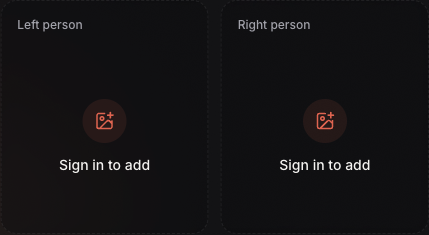
Choose one photo for each labeled role. Sign in to upload and create a video.
Can I download a Hotel Lobby AI template here?
Bulin 47 AI provides generated MP4 videos, not a downloadable editing preset or CapCut project.
Is there a free Hotel Lobby AI template?
Check the specific template listing in CapCut to see whether it is free or requires payment or a membership; availability and pricing can change. On Bulin 47 AI, the standard single-video pack is US$9.99, and each new generation uses one video allowance. The pricing page shows the available packs.
For the complete photo, upload, task-status, and download instructions, follow the Hotel Lobby two-photo tutorial. To start with the effect itself, open Hotel Lobby AI.